Are Electronic Signatures Valid in Nepal?
By Bishal Neupane · · 2 min read
More offices, employers and universities in Nepal now send documents by email and ask you to "sign and send back". Whether a signature added on screen counts depends on what kind of signature it is, and who you're sending it to.
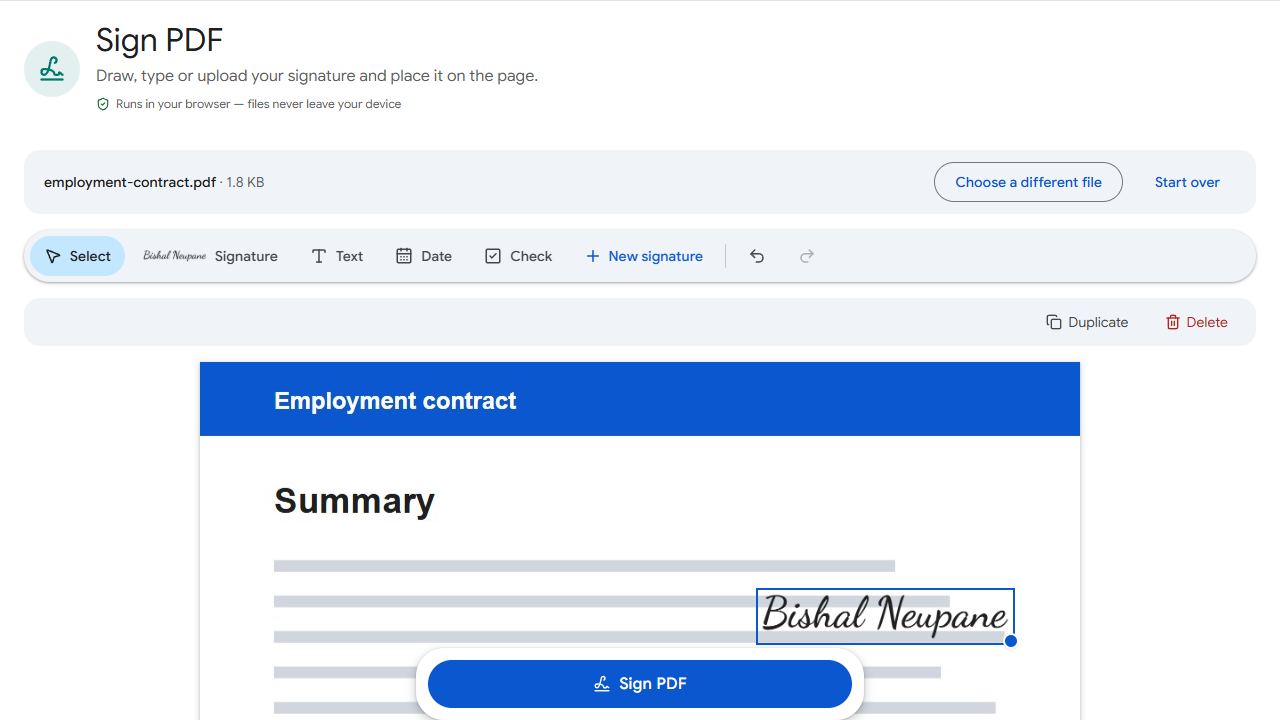
Two kinds of electronic signature
- Simple electronic signature — a drawn, typed or pasted image of your signature on a PDF. It shows you agreed, but doesn't prove cryptographically who signed.
- Digital signature — a certificate-based signature issued to you by a licensed certifying authority. It proves who signed and shows whether the document was changed afterwards.
What Nepali law says
Nepal's Electronic Transactions Act, 2063 (2008) gives legal recognition to electronic records and digital signatures. The digital signatures it describes are the certificate-based kind, issued by certifying authorities licensed by the Office of the Controller of Certification.
A simple signed PDF isn't a digital signature in that sense. Whether it's accepted depends on the person or organisation receiving it, and many accept it for everyday documents.
When a signed PDF is usually fine
- Offer letters, employment forms and internal company documents
- Rental agreements with a private landlord, if both of you agree
- University and visa forms that say "sign and upload"
- Quotations, invoices and delivery confirmations
To sign one, open Sign PDF, draw, type or upload your signature, place it and download. Fill any form fields first with Fill PDF Forms.
When you probably need more
- Government systems that ask for a digital signature certificate
- Land and property transactions
- Court documents and affidavits
- Bank forms that ask for a wet-ink signature matching their records
In these cases, sign on paper or get a digital signature certificate from a licensed certifying authority. PDFCraftly adds simple electronic signatures only.
This guide is general information, not legal advice. When in doubt, ask the organisation that needs the signature what it accepts.
Common problems and fixes
- The organisation says my signature must be digital.
- They mean a certificate-based digital signature. Get a digital signature certificate from a licensed certifying authority; PDFCraftly can't add those.
- My signature looks pasted on.
- Sign on white paper with a dark pen, photograph it in good light, crop it tightly and upload it in Sign PDF.
- The other party also needs to sign.
- Send them your signed file; they can add their signature the same way.
- My signature was rejected as not matching.
- Sign exactly as you do on your citizenship and bank records, or ask whether they need a wet-ink signature instead.
Frequently asked questions
It's a simple electronic signature. Many organisations accept it for everyday documents, but it isn't a certificate-based digital signature. Check with whoever needs the document.
From a certifying authority licensed by the Office of the Controller of Certification, which publishes the list of licensed authorities.
Only if the portal accepts an uploaded signed PDF. Systems that ask for a digital signature certificate need one.
No. It's created in your browser and discarded when you close the page.