How to Merge PDF Files on a Mac: Preview or Browser
By Bishal Neupane · · 2 min read
Macs can merge PDFs without extra software, but the built-in ways each have a catch. Here are three free options and when each one makes sense.
Option 1: Preview
- Open the first PDF in Preview.
- Choose View → Thumbnails to show the page sidebar.
- Drag the other PDF files from Finder into the sidebar, dropping them between thumbnails where they should go.
- Choose File → Export as PDF and save the combined file under a new name.
Preview works well for two or three files. With many files, dropping each one into exactly the right spot gets fiddly, so check the sidebar before exporting.
Option 2: Finder's Create PDF
Select the PDFs in Finder, Control-click and choose Quick Actions → Create PDF. Finder joins them in the order they're sorted in the window, so rename the files with numbers first (01, 02 …) if the order matters.
Option 3: In your browser
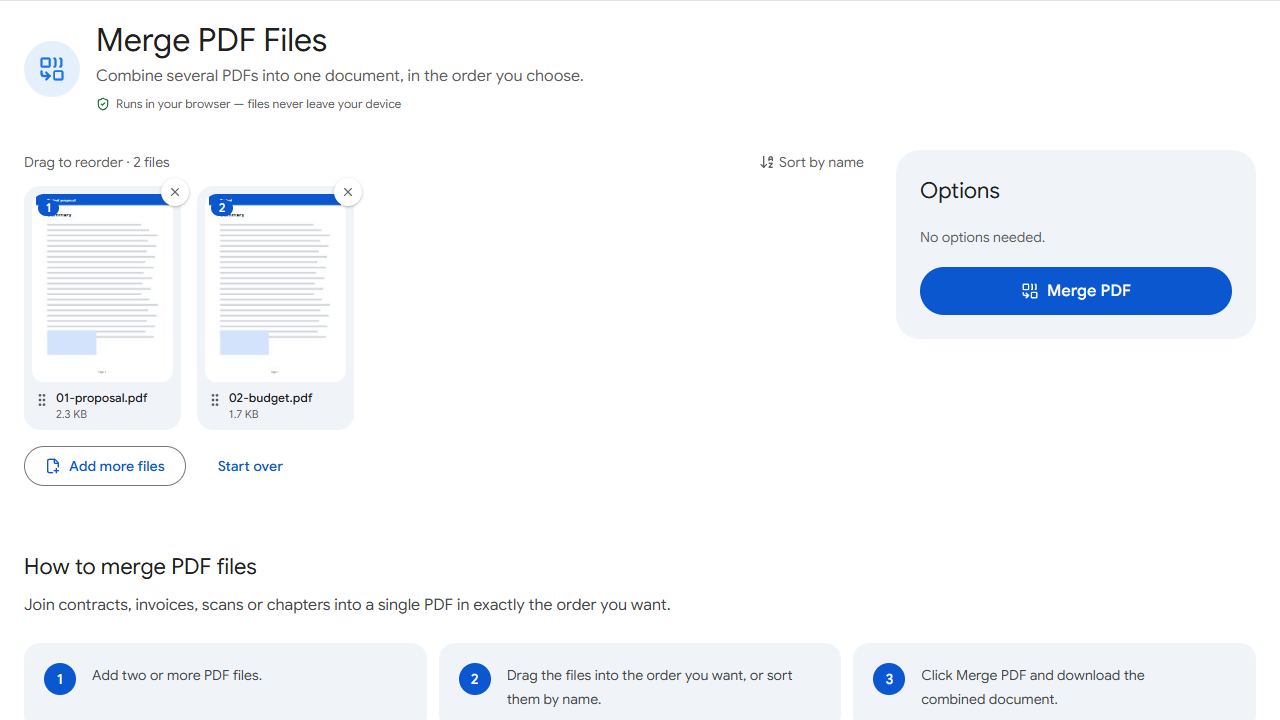
- Open Merge PDF in Safari, Chrome or Firefox.
- Drag the PDFs from Finder onto the page.
- Drag the file cards into order, or click Sort by name.
- Click Merge PDF. The result lands in your Downloads folder.
The files are processed on your Mac by the page itself, not uploaded.
Which should you use?
- A couple of files, quick job — Preview or Finder is fine.
- Many files, or the order matters — the browser tool lets you see and rearrange everything before merging.
- Double-sided scans in two files — use Alternate & Mix to interleave fronts and backs.
- Moving single pages around — Organize PDF shows every page as a thumbnail.
Common problems and fixes
- Create PDF doesn't appear in Finder's Quick Actions.
- Control-click the files, choose Quick Actions → Customize… and make sure Create PDF is ticked. It needs macOS Mojave or later.
- Preview put a file in the wrong place.
- Drag the thumbnails in the sidebar into the right order before exporting, or merge in the browser, where you can see and rearrange whole files first.
- Finder merged the files in the wrong order.
- Finder uses the window's current sort order. Rename the files with leading numbers (01, 02 …), sort by name and try again.
- A PDF asks for a password.
- Encrypted PDFs can't be merged as they are. Remove the password with Unlock PDF first (you'll need to know it).
Frequently asked questions
No. Preview, Finder's Create PDF quick action and browser tools all merge PDFs for free.
Yes, as well as Chrome, Firefox and Edge on macOS.
No. Every method here creates a new file and leaves the originals as they were, as long as you export Preview's result under a new name.
With PDFCraftly, yes: the files are processed on your Mac and never uploaded.