Why Can't I Edit My PDF? 6 Common Reasons and Fixes
By Bishal Neupane · · 3 min read
PDFs are built to look the same everywhere, not to be edited, so "it won't let me change anything" is a very common complaint. The cause is almost always one of these six.
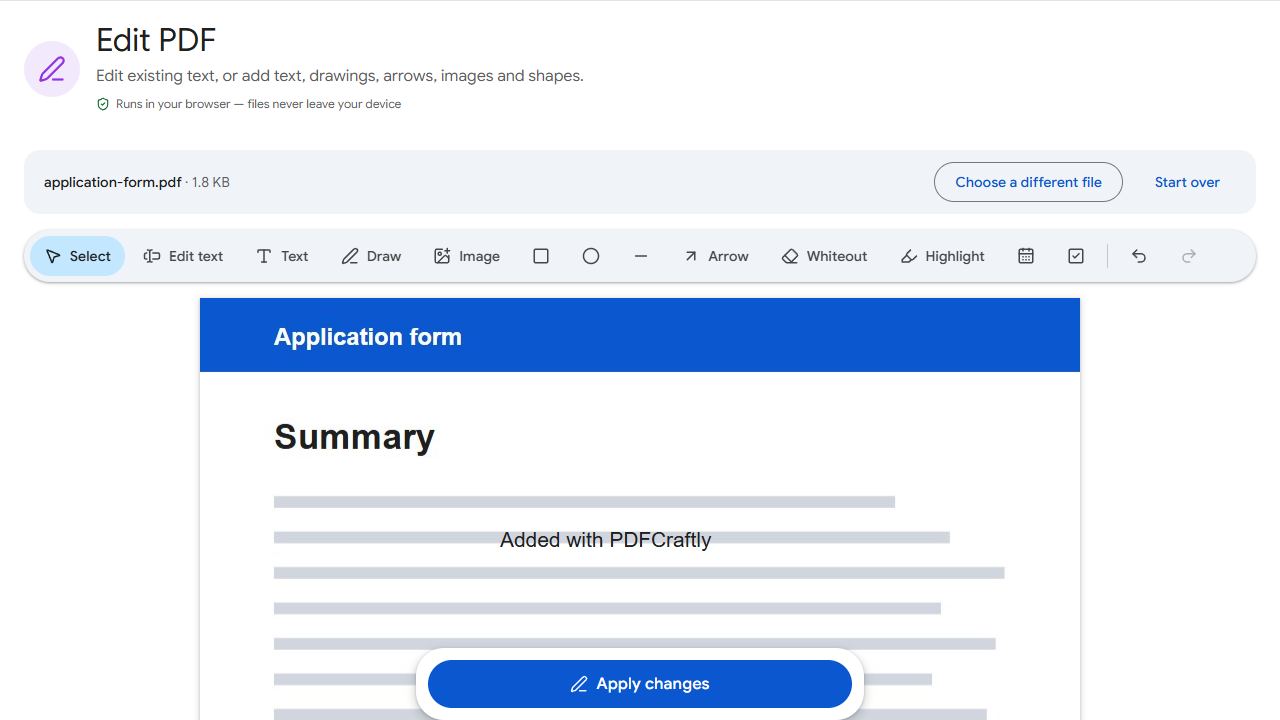
1. You're using a viewer, not an editor
Browsers, phone file apps and free readers mostly just display PDFs. To change the content, open the file in an editor such as Edit PDF, which can change existing text and add text, images and shapes.
2. The page is a scan
In a scanned PDF each page is a photo, so there is no text to click on. You can still cover and retype a section with Edit PDF: draw a white rectangle over the old words and add new text on top. If you need to search or copy the text, run OCR PDF first.
3. The form isn't fillable
A form that was printed and scanned, or "flattened" when it was saved, has no fields to type into. Type straight onto the page with Edit PDF, or add real fields with Create Forms so it can be filled in — and reused — properly. Forms that do have fields are quickest in Fill PDF Forms.
4. It's password-protected
Some PDFs are encrypted with a password or with restrictions on editing. If you know the password, remove it with Unlock PDF and edit the unlocked copy. Unlock PDF can also lift editing restrictions from files that open without a password, as long as you own the file or have permission. If you don't know the password, ask whoever sent the file for an unrestricted copy.
5. The text isn't really text
Logos, headings in designer fonts and text from design software are sometimes saved as outlines — drawn shapes rather than letters. Nothing can "edit" them, but you can cover them with a rectangle in the background colour and add new text with Edit PDF.
6. The document is digitally signed
Contracts and official documents are sometimes certified with a digital signature that locks the content. Any change breaks the signature, so the right fix is to ask the sender for a new version rather than editing the signed one.
Common problems and fixes
- My edited text doesn't match the original font exactly.
- Edit text matches the size, colour and style (sans, serif or mono, bold or regular), but not always the exact typeface. For short corrections this is rarely noticeable.
- The cover-up box shows on a coloured background.
- Pick the rectangle's colour to match the background, or use Edit text, which patches the original words with the page's background colour automatically.
- The tool says the file is encrypted.
- It's password-protected. If you know the password, remove it with Unlock PDF; otherwise ask the sender for an unprotected copy.
- My changes aren't in the file I sent.
- Edits are saved to a new downloaded copy; the original stays unchanged. Make sure you attached the downloaded file.
Frequently asked questions
Only for small changes. PDFs don't reflow text, so for heavy rewrites get the original Word file, or extract the text with PDF to Text and start a new document.
No. Covered text is still in the file underneath. Don't use it to hide confidential information; remove the whole page with Remove Pages instead.
Yes. Edit PDF is free with no sign-up and no watermark.
No. You download an edited copy, and the original stays as it was.