Bates Numbering Explained: What It Is and How to Apply It
By Bishal Neupane · · 2 min read
If you work with legal documents, you'll meet Bates numbers — the IDs like ABC000123 printed in the corner of every page in a case file. Here's what they're for and how to apply them correctly.
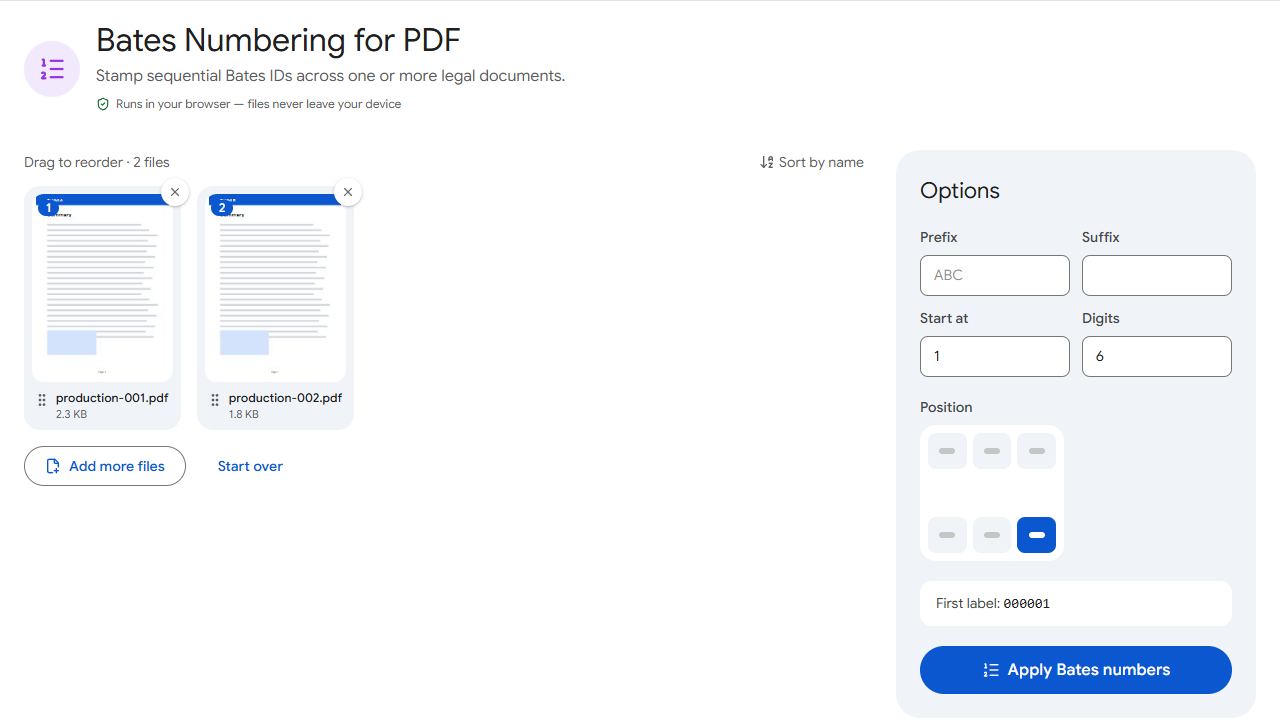
What is a Bates number?
A Bates number is a unique, sequential identifier stamped on every page of a set of documents. It's named after the Bates Automatic Numbering Machine, a mechanical stamper patented in the 1890s. Today it's applied digitally, but the purpose is the same: every page gets its own permanent reference.
In litigation and discovery, that means anyone can point to "ACME000482" and everyone else finds exactly the same page — even across thousands of documents from different sources.
Anatomy of a Bates number
- Prefix — usually identifies the party or case, e.g.
ACMEorSMITH-PROD. - Number — sequential, padded with zeros to a fixed width (6 digits is common:
000001), so numbers sort correctly. - Suffix (optional) — sometimes used for volume or confidentiality markers.
How to apply Bates numbers
- Open Bates Numbering and add your PDFs in production order.
- Set the prefix, optional suffix, starting number and number of digits.
- Choose where the stamp goes (a bottom corner is standard, away from the document's own content).
- Click Apply Bates numbers and download the stamped files.
Numbering runs on from one file to the next in the order listed, so a production spread across several files still gets one continuous sequence.
Because PDFCraftly processes files in your browser, privileged or confidential material is never uploaded to a third-party server.
Good practice
- Never reuse or skip numbers within a production; keep a log of the ranges you've issued.
- Start a new production where the last one ended (e.g. if the last page was ACME000950, start at 951).
- Keep an unstamped original of every document.
- For ordinary documents that don't need legal IDs, simple page numbers are enough.
Common problems and fixes
- The Bates number covers text on the page.
- Choose a different corner. Bottom right is usually the emptiest spot on legal documents.
- Numbering restarted in the second file.
- Add all the files to the same run, in production order. Numbers then continue from one file to the next.
- I need to continue from a previous production.
- Set the starting number to one more than the last number already issued, e.g. 951 if the last page was ACME000950.
- Different parties need different prefixes.
- Run the tool once per party with its own prefix, and keep a log of which ranges were issued to whom.
Frequently asked questions
No. Page numbers restart in every document. Bates numbers are unique across the whole set of documents, so each page has one permanent ID.
Six to eight digits is common. Choose enough to cover the largest production you expect, so numbers keep the same width and sort correctly.
They're stamped onto the page content, so treat them as permanent. Always keep an unstamped original.
Requirements vary by court, jurisdiction and agreement between the parties. Check any applicable rules or protocols before producing documents. This guide is general information, not legal advice.