Compress a PDF for a UK University Application: 2 MB, 4 MB and 5 MB Portal Limits
By Bishal Neupane · · 6 min read
UK universities take postgraduate applications through their own portals, and each one sets its own limit on uploaded files. Several of the limits are small: 2 MB at LSE and Edinburgh, where a scanned transcript straight off a scanner is often 5 to 15 MB. Below are the limits each university publishes, with a link to the page that states it, and the steps to bring a transcript, degree certificate or reference under the number without making it unreadable.
Upload limits published by UK universities
- LSE: "Each document you upload must be no larger than 2MB." Accepted formats are pdf, doc, docx, jpg, png and gif; LSE says PDF is the best format for scans and that 300 dpi is fine (LSE supporting documents).
- University of Edinburgh: one file for each requested document, and "each document must be no larger than 2mb". Accepted formats are .doc, .docx, .rtf, .pdf, .txt, .jpg, .xls, .xlsx and gif (Edinburgh document uploading).
- University of Oxford: files must be PDF, .jpg or .png and smaller than 4 MB; Word documents are not accepted. A document between 4 MB and 10 MB goes through a separate upload portal after you submit, and nothing over 10 MB is accepted (Oxford supporting documents requirements).
- UCL: its FAQ for graduate offer holders says you can upload documents "less than 5 MB in size" in .doc, .docx, .jpg or .pdf, with PDF preferred (UCL graduate FAQ).
- University of Cambridge: the applicant self-service accepts only .pdf, not password protected or digitally signed, with no punctuation or non-English characters in the file name. Its guide shows "Maximum Filesize: 2.0 MB" on the upload screen and 2.5 MB in its scanning section, so stay under 2 MB (Cambridge self-service guide, October 2024).
Universities change these numbers between admissions cycles, and departments sometimes add their own rules. Treat the limit shown beside the upload button as final. If your university is not listed here, check the limit shown on the upload page.
Compress a transcript or certificate to 2 MB
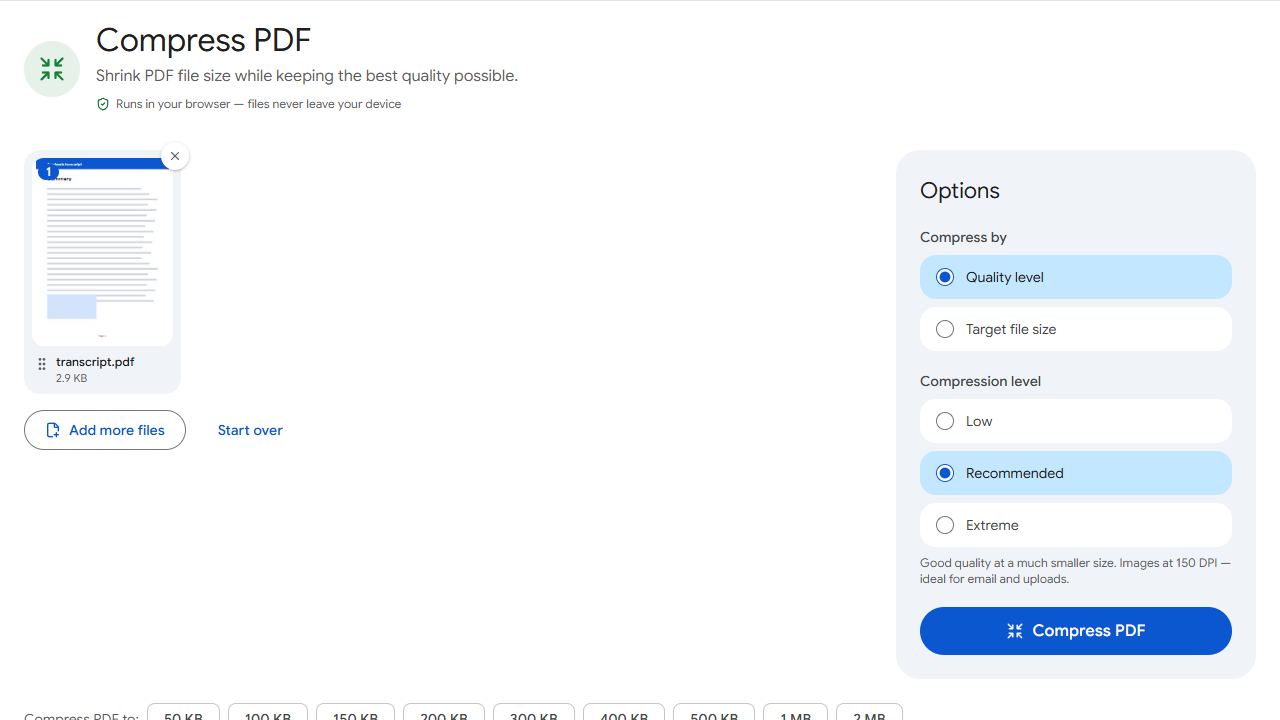
- Open Compress PDF to 2 MB. For Oxford's 4 MB, UCL's 5 MB or any other figure, open Compress PDF, choose Target file size and type the limit.
- Add the PDF and click Compress PDF.
- Read the result. It reports the final size and whether the file fits under your target.
- Open the download and zoom in on the smallest print: module codes, marks, the registrar's stamp and signature. If you can read them, the admissions team can.
- Upload the file to the matching slot in the portal.
The compressor re-encodes the scanned page images, lowering quality first and resolution only if it has to. Real text, such as a statement of purpose or CV exported from a word processor, is left sharp, and those files are usually well under 1 MB already.
Nothing is uploaded to PDFCraftly. The work is done in your browser, so your transcripts and passport copy stay on your device.
Edinburgh: split a large document rather than merge
Edinburgh's guidance is the opposite of what most applicants assume. It says: "Please do not merge all your documents into one file", and if one document is larger than 2 MB, "separate it into smaller files and upload these as unspecified documents". You can upload only 2 unspecified documents per application.
- Compress the document to 2 MB first. One file per requested document is what Edinburgh wants, and a transcript of a few pages normally fits.
- If a long transcript still does not fit at a readable quality, open Split by Size, set the limit to 2 MB and split the PDF into parts.
- Upload the parts as Edinburgh describes, keeping within the limit of two unspecified documents.
Oxford and Cambridge: remove passwords before you upload
Oxford merges everything you upload into a single PDF when it processes your application, so it asks you to make sure "you have removed any encryption or password protection". Cambridge says PDFs must not be password protected or digitally signed.
- If you know the password, Unlock PDF saves a copy without it. Do this before compressing.
- For a digitally signed transcript, ask the admissions office how it wants the document sent rather than guessing.
- For Oxford, a document that genuinely cannot go under 4 MB can be sent through its upload portal after you submit, as long as it is under 10 MB. You upload a placeholder file in the mandatory slot first; Oxford's page gives the exact wording.
Scan once, at a sensible resolution
- Scan at up to 300 dpi. LSE's guidance calls 300 dpi fine; higher settings only make the file bigger before compression.
- Scan every page the same way up, and fix any sideways page with Rotate PDF.
- A transcript and its certified translation that belong in one slot can be joined with Merge PDF, then compressed. Do not merge unrelated documents.
- Use PDF. It is the one format accepted by every university listed above; Oxford does not take Word files and Cambridge takes nothing else.
- Name files in plain English letters and numbers, such as
transcript-bsc-2026.pdf. Cambridge warns against punctuation and non-English characters in file names.
For the wider checklist of what to gather and certify, see how to prepare academic documents for study abroad. If the portal wants your CV and statement as one file, see how to combine a CV and cover letter into one PDF.
Common problems and fixes
- The portal says my transcript is too large.
- Check the limit beside the upload button, then compress to it. Compress PDF to 2 MB covers LSE and Edinburgh; for Oxford's 4 MB or UCL's 5 MB, type the number under Target file size in Compress PDF.
- The marks are hard to read after compression.
- Rescan at up to 300 dpi with the page flat and well lit, then compress again; a clean scan compresses far better than a dim one. If the document is long, split it with Split by Size where the university allows more than one file, as Edinburgh does.
- Oxford or Cambridge will not take my PDF.
- Both ask for PDFs without password protection. If you know the password, remove it with Unlock PDF. For Cambridge, also rename the file using only English letters and numbers.
- I merged everything into one PDF and Edinburgh's form has separate slots.
- Edinburgh asks you not to merge all documents into one file. Pull each document back out with Extract Pages or Split PDF, then upload one file per requested document, each under 2 MB.
- My Word file is rejected.
- Oxford does not accept .doc or .docx, and Cambridge accepts only PDF. Export the document to PDF from your word processor, which keeps the text sharp and the file small.
Frequently asked questions
There is no single limit. Among universities that publish one: LSE and Edinburgh allow 2 MB per document, Oxford under 4 MB, UCL under 5 MB, and Cambridge's guide shows 2.0 MB on its upload screen. Always follow the limit shown on the upload page of your own application.
Open Compress PDF to 2 MB, add the file and click Compress PDF. The result reports the final size. LSE accepts pdf, doc, docx, jpg, png and gif, and recommends PDF for scanned documents.
We could not find a UCAS-published figure for document uploads. If a university asks you for documents through its own applicant portal, check the limit shown on that upload page.
Compression re-encodes the scanned page images at a lower quality; it does not change the words or numbers on the page. Real text is left as it is. Keep the original scan, and note that Oxford says it may ask for the original paper documents if you are offered a place.
No. Compression, splitting and unlocking all run in your browser, on your device. Nothing is sent to PDFCraftly's servers.
Portals differ. PDFCraftly checks results against 1 KB = 1,000 bytes, the stricter reading, so a file that fits here fits either way.