Compress a PDF for a UK Visa Application: UKVCAS, VFS Global and TLScontact Upload Limits
By Bishal Neupane · · 7 min read
A UK visa application ends with an upload step: passport pages, bank statements, payslips, tenancy agreements and letters, each as a file under a size limit. Which limit applies depends on who takes your biometrics, because GOV.UK, UKVCAS (run by TLScontact inside the UK), VFS Global and TLScontact overseas each run their own upload page. Here is what each one publishes, with the source for every number, and how to get a scanned passport or a six-month bank statement under the limit without sending it to anyone's server.
Which upload service you are using
You apply and pay on GOV.UK, then upload evidence in one of four places:
- GOV.UK self-upload: if you proved your identity with the UK Immigration: ID Check app, you upload inside the application form itself. GOV.UK says you cannot use this route if your fingerprints and photo are taken at a visa application centre or UKVCAS service point (GOV.UK guidance).
- UKVCAS: if you are applying from inside the UK and attend a biometrics appointment, you upload through your TLScontact account before the appointment (UKVCAS application process).
- VFS Global: if you are applying from a country where VFS runs the visa application centre, you self-upload on the VFS website when you book your biometrics appointment.
- TLScontact overseas: if you are applying from a country where TLScontact runs the centre, you self-upload through its TLSdocuments web app.
The confirmation you receive from GOV.UK tells you which partner handles your appointment.
The published limits, service by service
- UKVCAS (TLScontact, inside the UK): its Customer Help Centre states that uploads of jpg, jpeg, png and pdf formats are allowed, "with a file size no larger than 7.25MB" per file (UKVCAS help centre). Many older guides quote 6 MB; go by the figure on the help centre and on your own upload page.
- GOV.UK self-upload: scans must be saved as PDF, PNG, JPG or JPEG, and photos of documents as PNG, JPG or JPEG. The whole document must be visible, and the file should have a descriptive name such as "bank statement 2019". The guidance page gives no megabyte figure, so use the limit the form shows when you add a file (GOV.UK guidance).
- TLScontact overseas (TLSdocuments): the user guide says "only documents in PDF format are accepted". You pick a category for each file, and once you press Submit documents you cannot go back or add more. The guide does not state a size limit (TLSdocuments user guide).
- VFS Global: self-upload is free and you are told to "follow the instructions on the document upload pages". VFS's public pages do not publish a megabyte figure. Its Nigeria page lets you keep uploading until the day before your biometrics appointment, and passes on UKVI's recommendation to provide a full copy of your passport, including every page with travel stamps (VFS Global supporting documents).
For VFS Global and TLScontact overseas, check the limit shown on the upload page itself before you compress. Blogs and forums quote different figures for VFS, and none of them is published by VFS. If the page shows no number, 2 MB per file is a cautious target: it is far below the 7.25 MB that UKVCAS publishes and still keeps a scanned statement readable.
Compress a visa document to the limit
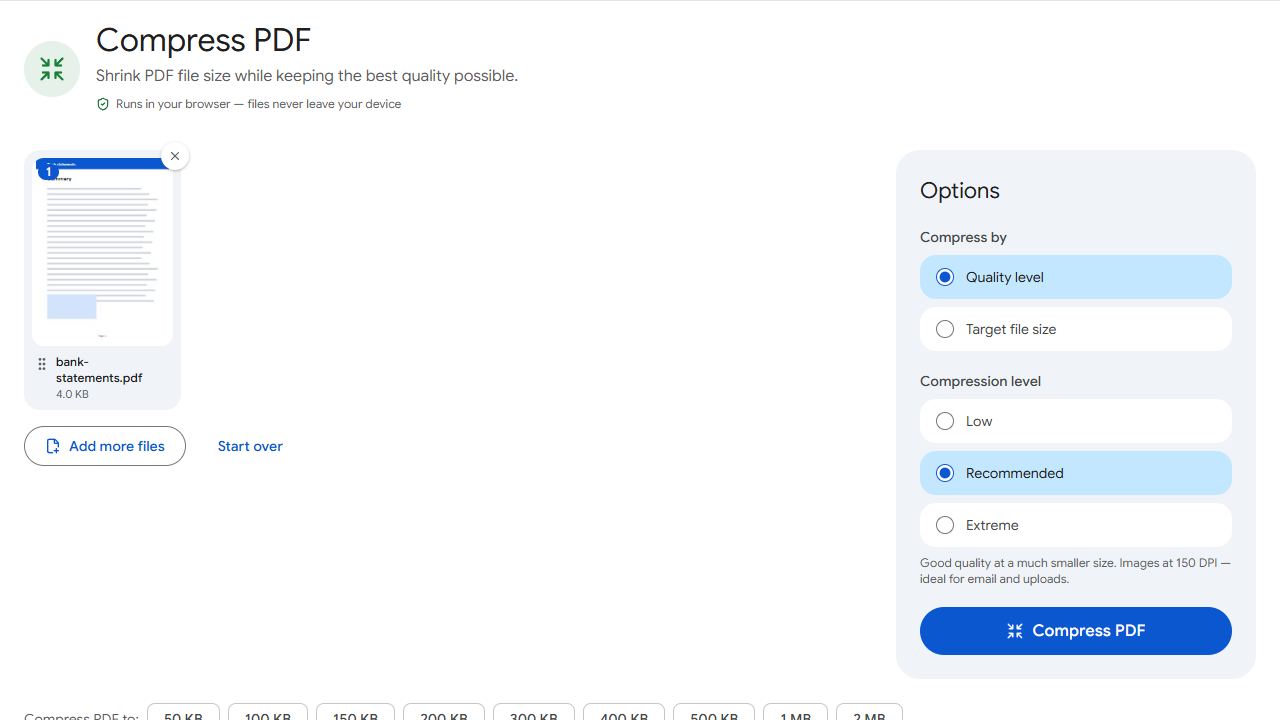
- Open Compress PDF and add your file.
- Choose Target file size and type the limit your upload page shows, for example 7 MB for UKVCAS. If the limit is 2 MB, Compress PDF to 2 MB has it preset.
- Click Compress PDF. The result reports the final size and whether it fits under your target.
- Open the downloaded file and zoom in on a page. Account numbers, names, dates and stamps must still be readable; that is what the caseworker needs.
- Upload the file under the right category.
The compressor re-encodes the images inside the PDF, lowering quality first and resolution only if that is not enough. Real text, such as a statement downloaded from online banking, is left sharp. Those downloaded statements are usually small already; it is phone photos and scanner output that run to tens of megabytes.
Nothing is uploaded to PDFCraftly. The compression runs in your browser, so your passport, bank statements and payslips stay on your own device until you upload them to the official portal.
Full passport copy and long bank statements
These two documents cause most failed uploads. A full passport copy means every page, and six months of statements can be 30 pages or more.
- Scan the pages with Scan to PDF, which uses your phone camera, or use the scans you already have.
- Put the pages of one document into a single file with Merge PDF, in order, so the caseworker reads one passport or one statement run rather than 40 loose files.
- Compress the merged file to the limit on your upload page.
- If it still does not fit while staying readable, cut it with Split by Size, which divides a PDF into parts that each fall under a limit you set. Name the parts in order, such as
passport-part-1.pdfandpassport-part-2.pdf.
Keep one type of evidence per file. A passport, a statement and a payslip bundle belong under different categories, and you are responsible for putting each under the correct one.
Formats and file names that upload first time
- PDF is the safe format everywhere. UKVCAS and GOV.UK also take JPG and PNG, but TLSdocuments accepts only PDF. Turn photos into a PDF with JPG to PDF.
- Use a descriptive name. GOV.UK's own example is "bank statement 2019". Plain letters, numbers and hyphens are the least likely to cause trouble.
- Remove passwords. Banks often email statements as locked PDFs. If you know the password, Unlock PDF saves a copy without it.
- Fix sideways pages with Rotate PDF before you upload, and check that the whole page is visible with nothing cut off.
- Upload before the deadline. On GOV.UK self-upload you cannot add evidence after you submit, and TLSdocuments locks once you submit.
For the general method behind all of this, see how to compress a PDF.
Common problems and fixes
- The upload fails or the file is rejected as too large.
- Read the limit on the upload page, then compress to that exact number in Compress PDF using Target file size. UKVCAS publishes 7.25 MB per file; VFS Global and TLScontact overseas show their limit on the page. The result line tells you the final size before you upload.
- My full passport scan is 40 MB.
- Phone photos of every page add up fast. Combine the pages with Merge PDF and compress the result. If it still will not fit readably, use Split by Size to cut it into parts under the limit and name them in order.
- The bank statement is unreadable after compressing.
- The target was too small for the number of pages. Compress again to a larger target that still fits the limit, or split the statement into two files. A statement downloaded from online banking as a PDF is real text, stays sharp and rarely needs compressing at all.
- TLScontact will not accept my JPG.
- TLSdocuments, used at TLScontact centres overseas, accepts only PDF. Convert photos with JPG to PDF, then compress the PDF if needed.
- The portal rejects a statement my bank emailed me.
- It may be password protected. If you know the password, Unlock PDF saves an unlocked copy that the portal and the caseworker can open.
Frequently asked questions
It depends on the upload service. UKVCAS, run by TLScontact for applications made inside the UK, states 7.25 MB per file in jpg, jpeg, png or pdf. GOV.UK's self-upload guidance lists the formats but no size, and VFS Global and TLScontact overseas do not publish a figure on their public pages, so check the limit shown on the upload page.
VFS Global does not publish a megabyte limit on its public UK visa pages; it tells applicants to follow the instructions on the document upload pages. Third-party sites quote different numbers. Use the figure shown on your own upload page. If none is shown, 2 MB per file is a cautious target.
Yes. PDFCraftly compresses in your browser, on your device. The files are not uploaded to any server, so the only place your passport and statements go is the official visa portal.
PDF. It is accepted by every service covered here and is the only format TLSdocuments takes. UKVCAS and GOV.UK also accept JPG and PNG, but one multi-page PDF per document is easier for a caseworker to read than a set of separate images.
Yes. PDFCraftly checks results against 1 KB = 1,000 bytes, which is the stricter reading, so a file that fits here fits either way.
Usually not. GOV.UK says you cannot upload other evidence after you submit, and the TLSdocuments guide says you cannot go back or add documents once you press Submit documents. Prepare and check every file first.