DGIP Online Passport: Photo Under 20 KB and Document Upload Sizes
By Bishal Neupane · · 7 min read
Renewing a Pakistani passport on the DGIP e-Services portal (onlinemrp.dgip.gov.pk) means uploading a photograph, colour scans of your CNIC and current passport, and sometimes a fingerprint form. Each upload has its own size and format rule, and a phone photo is usually ten times too big. Here are the limits DGIP publishes, with the steps to meet each one in your browser.
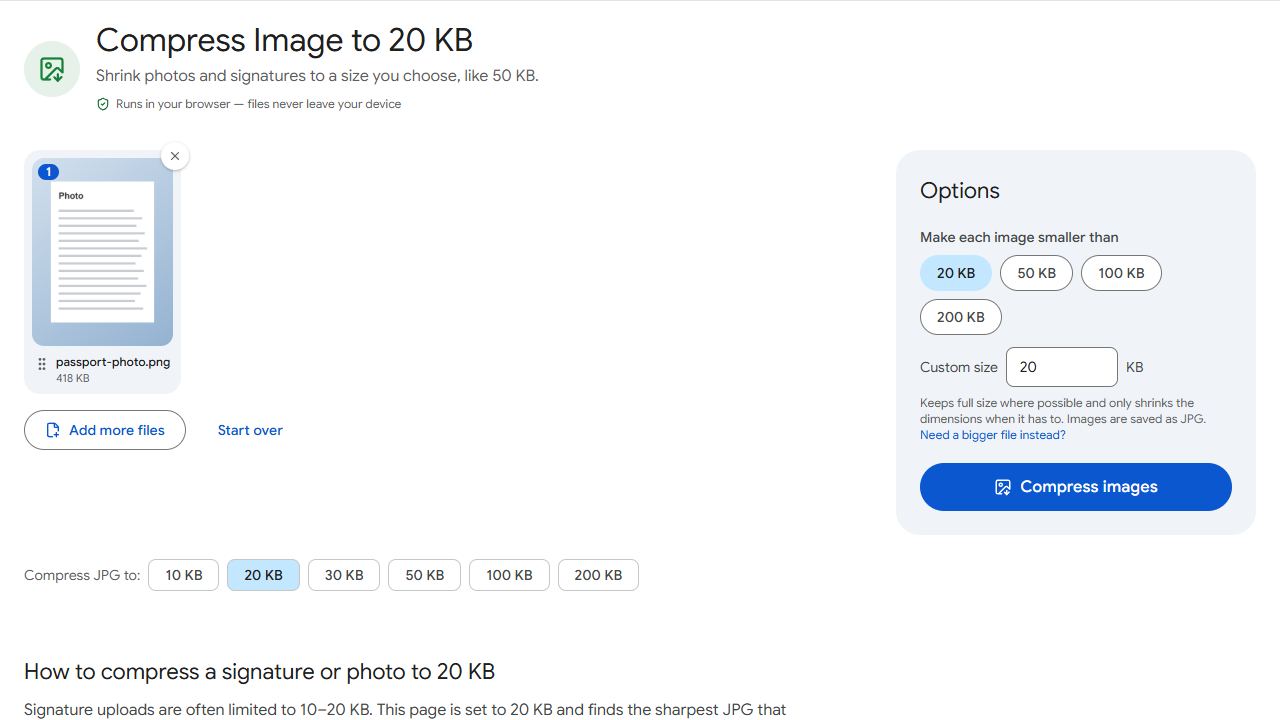
What the DGIP portal accepts
The portal's photograph requirements page says the digital photo must not exceed 20 KB, in JPG, JPEG or PNG. The photo itself should be 35 mm wide by 45 mm high, taken against a plain white background, no more than six months old, showing your full head and shoulders with the head between 29 mm and 34 mm tall, facing forward with a neutral expression, no shadows, no glare on glasses and nothing covering the face.
DGIP's guide to attaching documents lists the upload limits: supporting documents 1 MB, fingerprint form 3 MB, photograph 5 MB, and only .JPEG, .JPG and .PNG files are accepted. PDF is not an option. The same guide says photographs of documents taken with a phone or digital camera are acceptable.
Two DGIP pages quote a larger photo limit than the 20 KB on the photograph page: the attaching-documents guide says 5 MB, and the DGIP e-Services page describes the picture for the newer application categories as 350 × 467 pixels, JPEG, not more than 3 MB. A photo under 20 KB satisfies every one of these, so aim for 20 KB and you cannot be caught out.
For a renewal, the supporting documents page asks for colour scans of both sides of your CNIC, NICOP or Smart card, the first two pages of your existing passport plus one random page the system asks for, and your valid visa, iqama, residence permit, asylum card or other-nationality passport. Minors and government employees have extra items listed on the same page.
Limits and lists change. The number shown next to the upload box on the day you apply is the one that counts.
Get the photograph under 20 KB
- Take a fresh photo against a plain white wall in daylight, head and shoulders only. DGIP says not to cut a face out of a larger group picture or edit it in photo software, so take a photo meant for this purpose.
- In your phone's Gallery or Photos app, crop it to a portrait shape close to 35 by 45 (roughly 3:4) so your head fills the frame the way the portal's diagram shows. PDFCraftly does not resize to exact pixel sizes or change backgrounds, so do this step on the phone.
- Open Compress JPG to 20 KB, or Compress JPG and type 20 as the Target file size.
- Add the photo and click Compress images. The result shows the final size and, if the tool had to shrink it, the new pixel dimensions.
- Download the JPG and upload it in the Photograph step of your application.
The compressor lowers JPEG quality first and only reduces the dimensions when quality alone is not enough, so you get the sharpest 20 KB photo possible. Everything runs in your browser; the picture is never uploaded to PDFCraftly. Because results are checked against 1 KB = 1,000 bytes, a file the tool reports as under 20 KB passes whether DGIP counts 1 KB as 1,000 or 1,024 bytes.
CNIC, passport and visa scans as JPG under 1 MB
Phone photos of your CNIC and passport pages are fine as long as every character is readable and the whole page is in the frame. Photograph each page flat, in daylight, without flash, then crop away the table around the document in your gallery app.
- If your scans are PDFs (from a scanner or a shop), convert them with PDF to JPG so you have one JPG per page. The portal rejects PDF files.
- Open Compress JPG, add all the page images at once, set a Target file size such as 900 KB to leave a margin under the 1 MB limit, and click Compress images.
- Check each result shows a size under the limit, then download. Several images download together as a ZIP.
- In the Documents step, pick the document type from the list, choose the matching file and click Upload, one file per document.
Most phone photos of a card or passport page land between 200 KB and 600 KB at a quality that stays perfectly legible, so you rarely need to go lower than the portal's limit. Do not shrink them to 50 KB "just in case": a CNIC number that cannot be read is a reason for DGIP to return the application.
Fingerprint form and other forms
The fingerprint proforma and the minor's attestation form are downloaded from the portal's download tab, printed, completed and then uploaded as an image. DGIP allows up to 3 MB for the fingerprint form, more than for other documents, because the prints must stay sharp.
If you scan the completed form with a scanning app that produces a PDF, run it through PDF to JPG and keep the JPG at full quality. Only compress it if it is over 3 MB, and then use a target of around 2.5 MB rather than a small preset.
Keeping a PDF copy of every scan for your own records is sensible. If you want one small file for your own archive, Compress PDF with a target size does that without touching the images you upload.
Checklist before you submit
- Photo: JPG or PNG, under 20 KB, white background, head and shoulders, taken within six months.
- Each supporting document: JPG or PNG, under 1 MB, in colour, both sides of the CNIC as separate files.
- Passport: first two pages plus the random page the system names, each readable down to the machine-readable lines.
- Fingerprint form: under 3 MB, prints clearly visible, no blur.
- File names in English letters, such as
cnic-front.jpg, so you can tell them apart in the upload list.
Apply only at onlinemrp.dgip.gov.pk. DGIP warns that it has no collaboration with any other website, and payments made elsewhere are not refunded.
Common problems and fixes
- The portal says the photo is too large even though it is tiny on my phone.
- Phone cameras save 2–5 MB files. Run the photo through Compress JPG to 20 KB and upload the downloaded copy, not the original from your gallery.
- The 20 KB photo looks blurry.
- Crop tighter before compressing. A head-and-shoulders crop has far fewer pixels than a full phone frame, so the tool can keep more detail within 20 KB. Also take the photo in daylight: noise from a dim room costs a lot of bytes.
- My CNIC scan is a PDF and the portal will not accept it.
- DGIP accepts only JPG, JPEG and PNG. Convert the PDF with PDF to JPG, then fit each page under 1 MB with Compress JPG.
- The passport page is readable but the file is still over 1 MB.
- Set a custom target of 900 KB in Compress JPG. If the file was a scan at 600 DPI, the tool will reduce the dimensions slightly; text on a passport page stays clear at far lower resolution than that.
- DGIP returned my application saying the documents are unreadable.
- Rescan in daylight without flash, crop to the document edges and compress only to the limit, not below it. A clear 800 KB scan is better than a fuzzy 100 KB one.
Frequently asked questions
DGIP's photograph requirements page says the photo must not exceed 20 KB, in JPG, JPEG or PNG, 35 by 45 mm, on a plain white background. Other DGIP pages quote 3 MB or 5 MB, so a photo under 20 KB is safe everywhere on the portal.
DGIP's attaching-documents guide lists 1 MB for supporting documents, 3 MB for the fingerprint form and 5 MB for the photograph. Only JPG, JPEG and PNG files are accepted.
No. The portal accepts only JPG, JPEG and PNG. Convert PDFs with PDF to JPG first, then compress each image under 1 MB.
No. Compression and conversion run in your browser, on your own device. Nothing is sent to PDFCraftly's servers.
No. PDFCraftly checks results against 1 KB = 1,000 bytes, which is the stricter reading, so a file reported as under 20 KB passes either way.