How to Merge PDF Files on Android (Free, No App)
By Bishal Neupane · · 2 min read
Android doesn't come with a way to join PDFs, and many apps that can are packed with ads or want a subscription. Your browser can do it on its own, with the files staying on your phone.
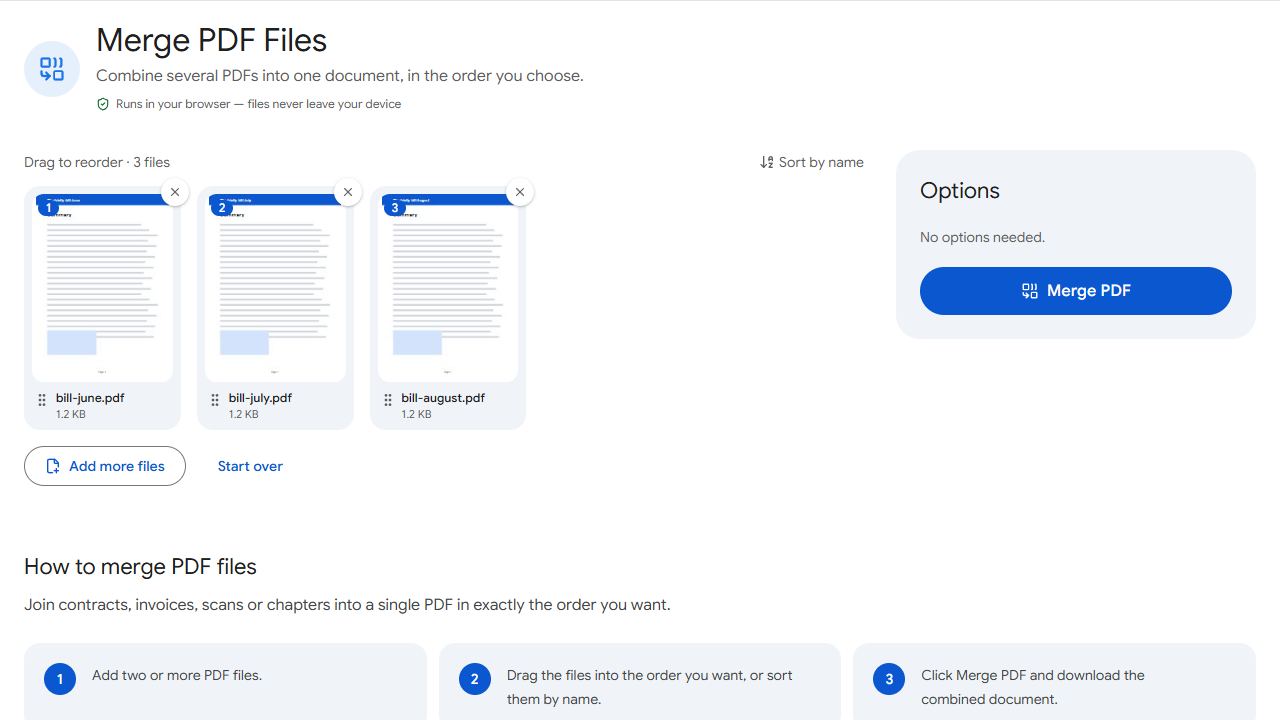
Merge PDFs in Chrome
- Open Merge PDF in Chrome, Samsung Internet, Firefox or another browser.
- Tap the upload area. Android's file picker opens; use its menu to switch between Downloads, Google Drive and other storage.
- Select the PDFs. In most pickers you can long-press the first file, then tap the others to select several at once.
- Press and hold a file card and drag it to set the order, tap Merge PDF and download. The merged file goes to your Downloads folder.
Finding PDFs from WhatsApp and email
WhatsApp keeps documents it receives in its own media folder, which some file pickers don't show. The easy route is to open the document in WhatsApp, use its share or save option, and save it to Downloads or Google Drive first.
Email attachments work the same way: download them in Gmail or your mail app, then pick them from Downloads.
Pages still on paper?
If some pages haven't been scanned yet, use Scan to PDF to capture them with your phone's camera. It saves a PDF you can merge with the rest.
When you send the result on WhatsApp, attach it as a Document, not from the gallery, so it arrives as a PDF rather than being converted.
Fixing mistakes after merging
Open the merged file in Organize PDF to drag single pages into place, rotate sideways scans or delete duplicates. Press and hold a thumbnail until it lifts, then drag.
Common problems and fixes
- The file picker only shows photos.
- Some gallery-style pickers only list images. Open the picker's menu and choose Files, Downloads or Drive to see your PDFs.
- I can't find the merged PDF.
- Look in the Downloads folder of your Files app, or open Chrome's menu and tap Downloads.
- Chrome crashes or reloads with large scans.
- Your phone ran short of memory. Close other tabs and apps, merge fewer files at a time, then merge the results together.
- The merged PDF opens in an app I don't want.
- Android uses your default PDF app. Press and hold the file in your Files app and choose Open with to pick another viewer.
Frequently asked questions
Yes. Any Android phone with an up-to-date browser works, including Samsung, Xiaomi, Oppo, Vivo, OnePlus and Pixel phones.
No. The merge happens on your phone, inside the browser page.
Once the Merge PDF page has loaded, the merge itself doesn't need a connection.
Convert the photos into a PDF with JPG to PDF first, then merge that PDF with the others.