How to Split Scanned Book Pages in Half (Two-Page Spreads)
By Bishal Neupane · · 2 min read
Photocopiers and flatbed scanners often capture an open book as one wide image containing two pages. That makes the PDF awkward to read on a phone and impossible to print as a normal book. Cutting each spread in half fixes it.
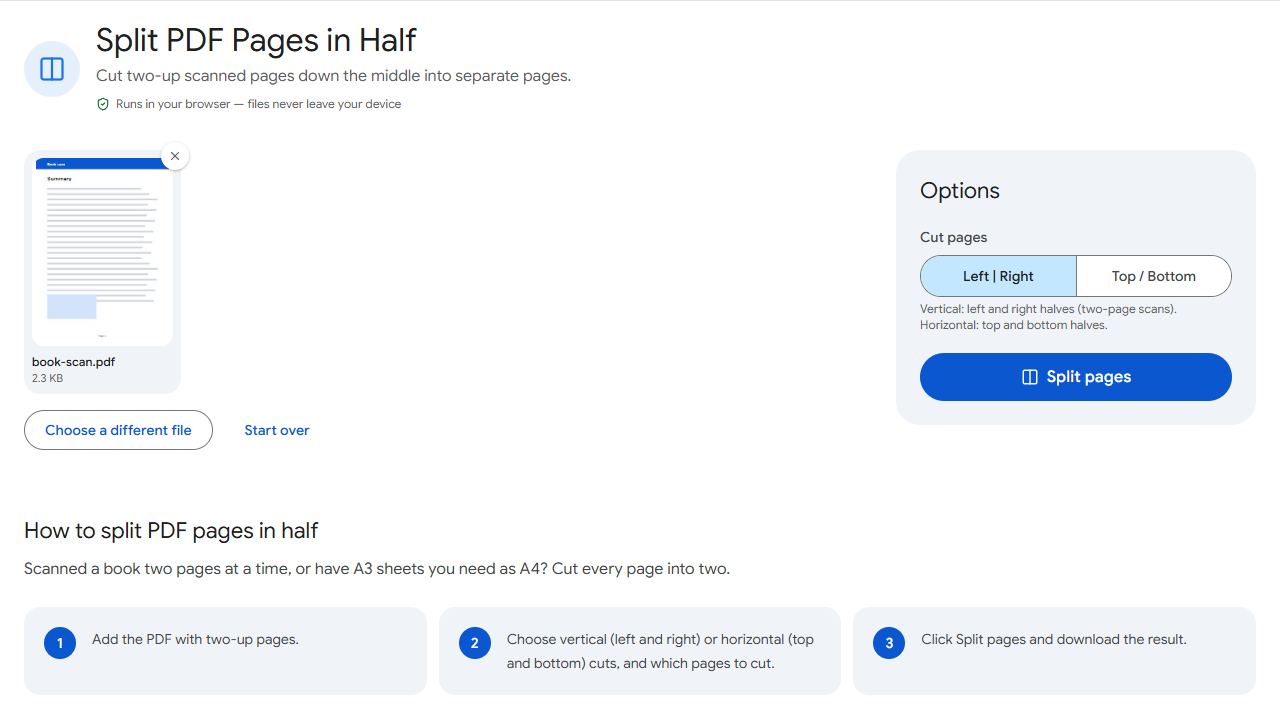
Step by step
- Open Split in Half and add the scanned PDF.
- Choose the cut direction: vertical for left and right pages (book spreads), horizontal for top and bottom halves.
- Choose which pages to cut — for example, leave out a single-page cover.
- Click Split pages and download the result.
Each two-page spread becomes two separate pages, in reading order: left page first, then right.
A3 to A4
An A3 sheet is exactly two A4 pages side by side. Cutting A3 pages vertically gives you A4 pages you can print on a normal printer. The same works for US Tabloid to Letter.
Tidy up afterwards
- Dark edges from the book's spine? Trim them with Crop PDF.
- Some spreads scanned upside down? Fix them with Rotate PDF before splitting, so both halves end up the right way round.
- Want it searchable? Run OCR on the final file.
Common problems and fixes
- The cut goes through text.
- The spread wasn't centred when scanned. Crop the pages first with Crop PDF so the spine sits in the middle, then split.
- The pages come out in the wrong order.
- Some right-to-left books (such as Arabic or Japanese) read the right page first. Reorder the result in Organize PDF.
- The cover got cut in half.
- Enter only the pages that are spreads in the pages field and leave single pages like the cover out.
- The halves are different sizes.
- The spine wasn't in the middle of the scan, so an exact centre cut leaves one half wider. Crop the spreads first so the spine sits in the middle, then split again.
Frequently asked questions
Yes. Choose a horizontal cut to separate top and bottom halves.
No. Pages are cropped, not converted to images, so quality stays the same.
Yes. Run OCR PDF on the split document.
Choose a horizontal cut instead of vertical. The top half becomes the first page and the bottom half the second.