Teletalk Job Application Photo (300×300) and Signature (300×80) Size Rules
By Bishal Neupane · · 6 min read
Almost every government job in Bangladesh is applied for through a Teletalk portal, and almost every rejected application fails at the same step: the photo and signature upload. The rules are strict but simple. Get the pixel size right in your phone's gallery app, then bring the file size under the limit here, and the portal's own validator will pass both files.
The exact rules on Teletalk portals
Teletalk builds the application sites for the Bangladesh Public Service Commission, Bangladesh Police, ministries and many other offices, and they all share one photo and signature check. The BPSC Photo/Signature Validator states it in full:
- Photo: 300 × 300 pixels (width × height), file size not more than 100 KB.
- Signature: 300 × 80 pixels (width × height), file size not more than 60 KB.
- Colour photo is a must. Black-and-white, monochrome or grayscale photos, or any image that is not a photo, are rejected. The portal runs facial recognition on the upload.
- Format: JPG. Some portals say so explicitly; the Ministry of Land validator requires
.jpgfor both files and also sets minimum sizes of 4 KB for the photo and 3 KB for the signature.
The Bangladesh Police validator carries the same 300 × 300 / 100 KB and 300 × 80 / 60 KB wording. Each job circular can add its own rule, for example a background colour, so read the circular as well as the validator page.
Every Teletalk portal has a Photo/Signature Validator link in its top menu. It checks your two files before you start the form, which saves you from losing a half-finished application.
Step 1: crop to 300×300 and 300×80 pixels
The pixel size has to be exact, and PDFCraftly does not resize images to a chosen width and height, so do this part on your phone or computer first.
- Photo: open it in your Photos or Gallery app, choose Crop, pick the square (1:1) shape and centre your head and shoulders. If the editor has a resize option, set it to 300 × 300 pixels. If you had a studio photo taken, ask the studio for a 300 × 300 digital copy; most studios in Bangladesh know this size by name.
- Signature: sign on plain white paper with a dark pen, photograph it straight on in daylight, then crop to a wide strip around the ink. The target shape is 300 × 80 pixels, which is almost four times wider than it is tall, so leave a little white space at the ends rather than cutting into the letters.
- Save both as JPG. If your signature was saved as a PNG, that is fine: the compressor in the next step writes a JPG anyway.
Not sure of the pixel size? Upload the file to the validator page or to Compress JPG: the result shows the image's width and height.
Step 2: bring the photo under 100 KB and the signature under 60 KB
A phone photo cropped to 300 × 300 pixels is often still 150 KB or more because it is saved at maximum quality. Compressing it to the limit takes a few seconds and nothing is uploaded; the work happens in your browser.
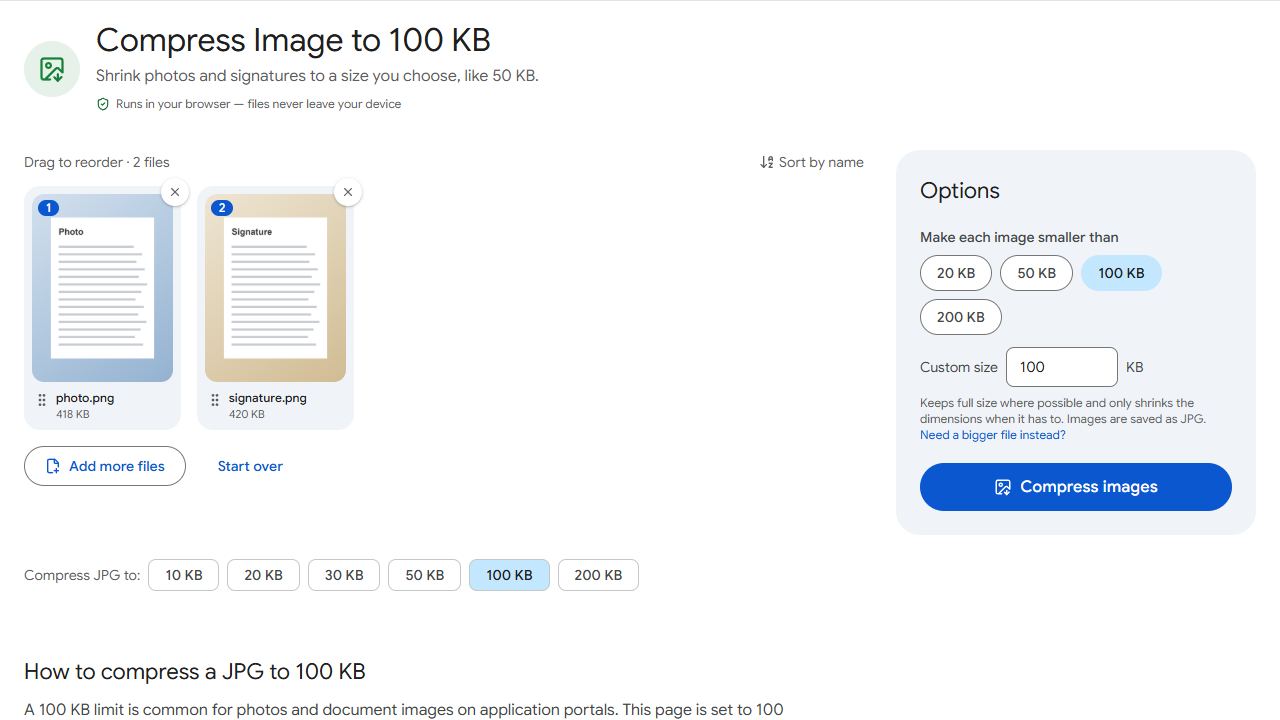
- Open Compress JPG to 100 KB and add the photo. Click Compress images and download the result.
- Open Compress JPG to 50 KB for the signature. 50 KB leaves a safe margin under the 60 KB limit; if you prefer the exact limit, open Compress JPG and type 60 in Target file size.
- Read the result line. It reports the final size, for example "92 KB — fits under 100 KB", and the pixel dimensions. Both should still read 300 × 300 and 300 × 80.
The compressor lowers JPEG quality first and only reduces the dimensions if quality alone cannot reach the target. A 300 × 300 photo always fits in 100 KB at full size, so the dimensions do not change. If the result shows different dimensions, the file you added was larger than 300 × 300 to begin with: go back to step 1.
Too small? Meeting the 4 KB and 3 KB minimums
Some portals reject files that are too small as well as too big. A 300 × 80 signature with a clean white background can compress to 2 KB, which fails the Ministry of Land's 3 KB minimum. Open Increase JPG Size, add the signature, type a minimum such as 5 KB, and download. The picture itself is untouched; the extra bytes are stored as a JPEG comment that the portal ignores.
Sizes on PDFCraftly are checked with 1 KB = 1,000 bytes, so a file reported as 98 KB is under 100 KB whichever way the portal counts kilobytes.
Checklist before you upload
- Photo 300 × 300 pixels, colour, under 100 KB, saved as
.jpg. - Signature 300 × 80 pixels, dark ink on white, under 60 KB, saved as
.jpg. - Both files pass the portal's Photo/Signature Validator.
- Any extra rule in the job circular, such as a background colour or the photo's age, is met.
- File names use English letters, such as
photo.jpgandsignature.jpg.
Need the same photo for a university form? The sizes are different there: see Dhaka University admission photo size. For a general walkthrough of shrinking any photo, see how to reduce a photo to 20, 50 or 100 KB.
Common problems and fixes
- The validator says the photo dimensions are wrong, even though the file is under 100 KB.
- The portal checks pixels and kilobytes separately. Open the photo in Compress JPG to read its width and height; if they are not exactly 300 × 300, crop and resize it in your gallery app and compress again.
- The photo is rejected as "not a photo" or as grayscale.
- Teletalk portals require a colour photo and run facial recognition. Use a plain, front-facing colour photo of your face and shoulders, not a scan of a printed photo with a dark border and not a black-and-white image.
- The signature is under 60 KB but the portal still refuses it.
- Check the format and the minimum. Some portals, such as the Ministry of Land's, accept only .jpg and reject signatures under 3 KB. Compress JPG always writes a JPG; if the file is too small, raise it with Increase JPG Size.
- The photo studio sent my photo as a PDF.
- Convert it with PDF to JPG, crop the resulting image to 300 × 300 pixels in your gallery app, then compress it under 100 KB.
Frequently asked questions
It is the rule on the BPSC, Bangladesh Police and Ministry of Land portals checked for this guide, and the same validator appears on most other Teletalk job sites. Still open the Photo/Signature Validator link on the portal you are using, because each office can change it.
No. Compression and size padding run in your browser, on your device. The only place the photo is uploaded is the Teletalk portal itself.
Portals that state a format ask for .jpg. Compress JPG accepts PNG, WebP, GIF and BMP and always saves a JPG, so run the PNG through it and upload the result.
The portal does not say. PDFCraftly checks results against 1 KB = 1,000 bytes, so a file it reports as under 100 KB is also under 102,400 bytes and passes either way.