NYSC Passport Photograph: Under 15 KB, 2 × 2 Inches, White Background
By Bishal Neupane · · 5 min read
NYSC online registration asks for one small thing that causes a lot of frustration: a passport photograph saved under 15 KB. A normal phone photo is 200 to 400 times that size. Here is what the NYSC portal actually requires, how to crop the photo, and how to shrink it to the limit without turning your face into a blur.
What the NYSC portal requires
The rules are on the portal's own registration requirements page. As of November 2026 it says the photo must meet all of these:
- Your whole face (eyes, nose, ears, mouth and jaw) is visible, with your head straight.
- Your face fills the frame and is centred.
- The background is white or off-white.
- The photo is taken in good light.
- The photo is passport size: 2 × 2 inches.
- Save it under 15 KB, as JPG or PNG.
NYSC's main site repeats the photo rules in its registration guidelines and adds "no shadow". Take the photo seriously: NYSC has said the uploaded photograph appears on your Certificate of National Service. The NYSC FAQ also lists the other uploads during registration: a scanned signature (or one drawn on a digital signature pad), and for married women or those applying on health grounds, documents such as a marriage certificate or medical report.
Why 15 KB is harder than it sounds
A JPG photo of around 600 × 600 pixels is usually 50 to 100 KB. To get under 15 KB, the picture has to be smaller, roughly 250 to 350 pixels on each side, and saved at a lower quality. That's fine for a face against a plain wall, but a busy background or a wide shot wastes the few kilobytes you have on things the portal doesn't want.
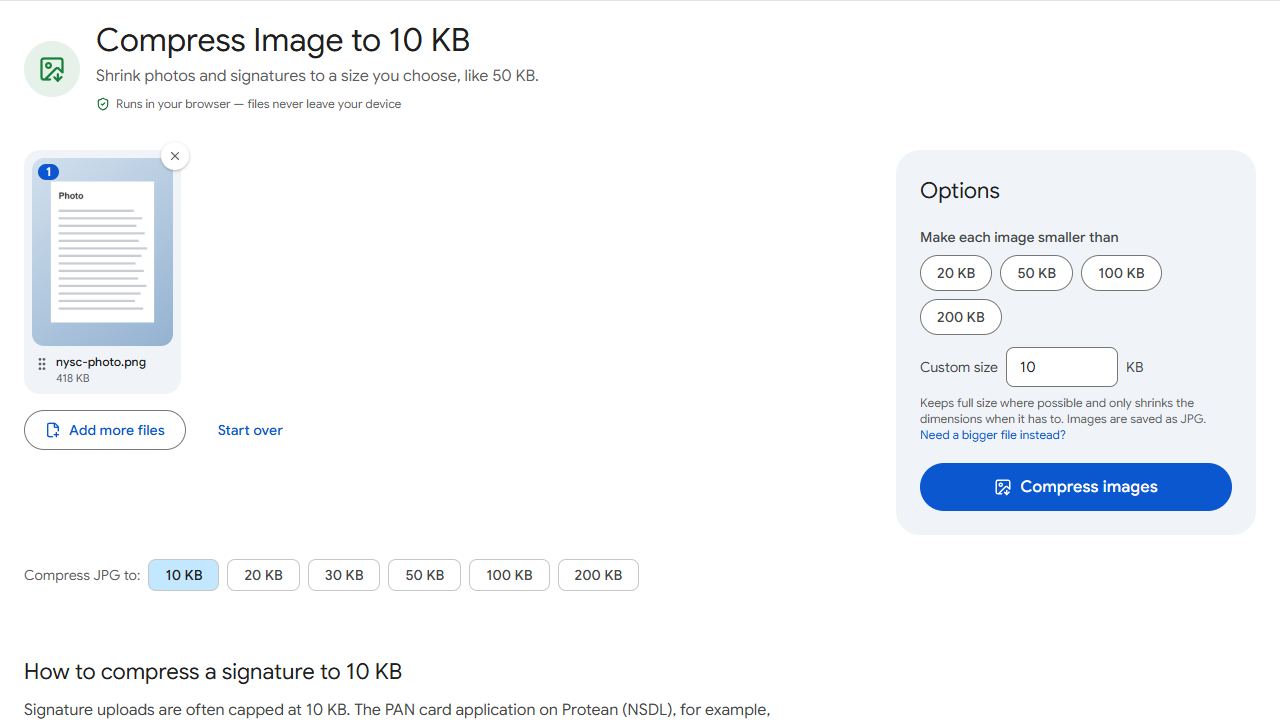
Compress JPG handles the trade-off for you: it lowers JPEG quality first and only shrinks the dimensions when quality alone can't reach the target, so you get the largest, sharpest photo that fits. The result shows the final size and the pixel dimensions.
Crop the photo first
Open the photo in your phone's Photos or Gallery app and crop it square (1:1), since the portal asks for 2 × 2 inches. Keep your head centred and filling the frame, with a small margin above your hair, and don't cut off your ears or jaw. The less background in the frame, the more detail your face keeps after compression.
PDFCraftly doesn't change the background colour. If the wall behind you is coloured or shadowed, retake the photo in front of a white wall in daylight, or ask a passport photo studio for a digital copy.
Compress the photo to under 15 KB
- Open Compress JPG and add the cropped photo. PNG files are accepted and come out as JPG, which is much smaller.
- Choose Target file size and type 14 KB, so you stay under 15 KB with a margin. The 10 KB preset also works and leaves even more room.
- Click Compress images. The result shows the final size, for example "13 KB", and the new pixel dimensions.
- Download the JPG, then upload that downloaded file on the NYSC portal, not the original from your camera roll.
A 14 KB result is at most 14,000 bytes, because results are checked against 1 KB = 1,000 bytes. That passes whether the portal counts a kilobyte as 1,000 or 1,024 bytes. Nothing is uploaded to PDFCraftly; the compression runs in your browser, on your phone or at a cyber café.
Keep the original full-size photo. The same crop can be compressed again to a different limit for other portals, such as 50 KB for a job application.
Signature and document uploads
For the scanned signature, sign on plain white paper with a black pen, photograph it in daylight straight on, and crop tightly around the ink. The registration requirements page doesn't state a signature size limit, so use the limit shown in the upload box as the Target file size in Compress JPG; if none is shown, the 20 KB preset gives a small, clear signature. See how to reduce a photo or signature in KB for a cleaner result.
Marriage certificates, medical reports and, for foreign-trained graduates, certificates, transcripts and passport data pages are best scanned with Scan to PDF, one document per file. If the portal rejects a scan as too large, set the limit stated on the form as the target in Compress PDF. When it only wants one page of a longer scan, such as a passport data page, pull it out with Extract Pages first.
Common problems and fixes
- The portal still says the photo is too large.
- Check that you uploaded the compressed file you downloaded, not the original: phones often offer the camera-roll copy first. If the downloaded file is the one you used, compress again with a 12 KB or 10 KB target.
- At 15 KB my face is pixelated.
- Crop tighter so the frame holds only your head and shoulders against a plain background. The compressor keeps the largest dimensions that fit the target, so less background means more pixels for your face. A photo taken in daylight also compresses far better than a dim one.
- My photo was taken against a coloured wall.
- Retake it. The portal requires a white or off-white background with no shadow, and PDFCraftly doesn't change backgrounds. A passport photo studio can supply a digital copy if you don't have a white wall.
- My iPhone saved the photo as HEIC.
- Set Settings, Camera, Formats to Most Compatible and retake the photo so it saves as JPG, or take a screenshot of the photo and crop that square instead. Then compress as usual.
Frequently asked questions
The NYSC portal's registration requirements page asks for a 2 × 2 inch photo, white or off-white background, whole face visible and centred, saved under 15 KB as JPG or PNG. Check the page when you register, as rules can change.
The page accepts both, but a PNG photo is many times larger than a JPG at the same dimensions. Compress JPG saves a JPG, which is the only practical way to stay under 15 KB with a usable picture.
Yes. NYSC has stated that the uploaded passport photograph appears on the Certificate of National Service, so use a proper, well-lit photo rather than a casual selfie.
No. Compression runs in your browser, so the photo never leaves your phone or computer.
Yes. Cropping in the gallery app, compressing and downloading all work in a phone browser, and the NYSC portal itself says it works on your phone.