SSC Photo and Signature Size: Live Photo Rules and the 10 to 20 KB Signature
By Bishal Neupane · · 6 min read
Most SSC rejections at the form stage come down to two things: a photo that doesn't pass the live capture, and a signature that is blurred, tiny or the wrong file size. SSC's 2026 notices spell out exactly what the application module expects. Here are the current rules, with the official source for each, and how to get a 10 to 20 KB signature JPEG from a phone photo without it turning into a grey smudge.
What SSC asks for in 2026
The rules below are taken from the SSC CGL 2026 notice (section 9, How to Apply) and the SSC CHSL 2026 notice, checked in November 2026. The same text appears in SSC's other 2026 notices.
- Photograph: not uploaded at all. The application module captures a live photo of you through your camera when prompted. Capturing a picture of an existing photograph gets the application rejected.
- Signature: uploaded as a scanned image in JPEG/JPG format, 10 KB to 20 KB, with dimensions of about 6.0 cm (width) × 2.0 cm (height). Blurred or miniature signatures are rejected summarily.
- Exception: applications submitted through Aadhaar Based Authentication are not rejected on either of these grounds.
The widely quoted '20 KB to 50 KB photo' figure is still real, but it now applies to the separate scribe registration: the SSC Scribe OTR page asks for a 20 to 50 KB JPEG photo of about 3.5 × 4.5 cm and a 10 to 20 KB signature of about 6.0 × 2.0 cm.
Every SSC notice repeats these limits in its How to Apply section. If the exam you're applying for shows different numbers, follow the notice, and type its limit into the Target file size box in Compress JPG.
Prepare the signature: 6 × 2 cm, at least 80% filled
SSC's own instructions for uploading signatures say the main reason signatures are rejected is that they are 'miniature'. The fix is simple: draw a 6 × 2 cm box on plain white paper, sign inside it so the ink fills at least 80% of the box, then cut or crop to the box.
- Use a dark pen (black is safest) on unlined white paper.
- Sign large enough to fill most of the box, keeping the signature horizontal.
- Photograph it in daylight, straight on, with no shadow across the paper.
- Crop in your phone's Gallery or Photos app so the box edges become the image edges. The result should be about three times as wide as it is tall.
At 200 DPI, 6.0 × 2.0 cm is about 472 × 157 pixels; at 150 DPI it is about 354 × 118 pixels. SSC says 'about', so a crop in roughly that 3:1 shape is what matters. PDFCraftly doesn't set pixel dimensions for you, so do the crop on the phone first.
Compress the signature to under 20 KB
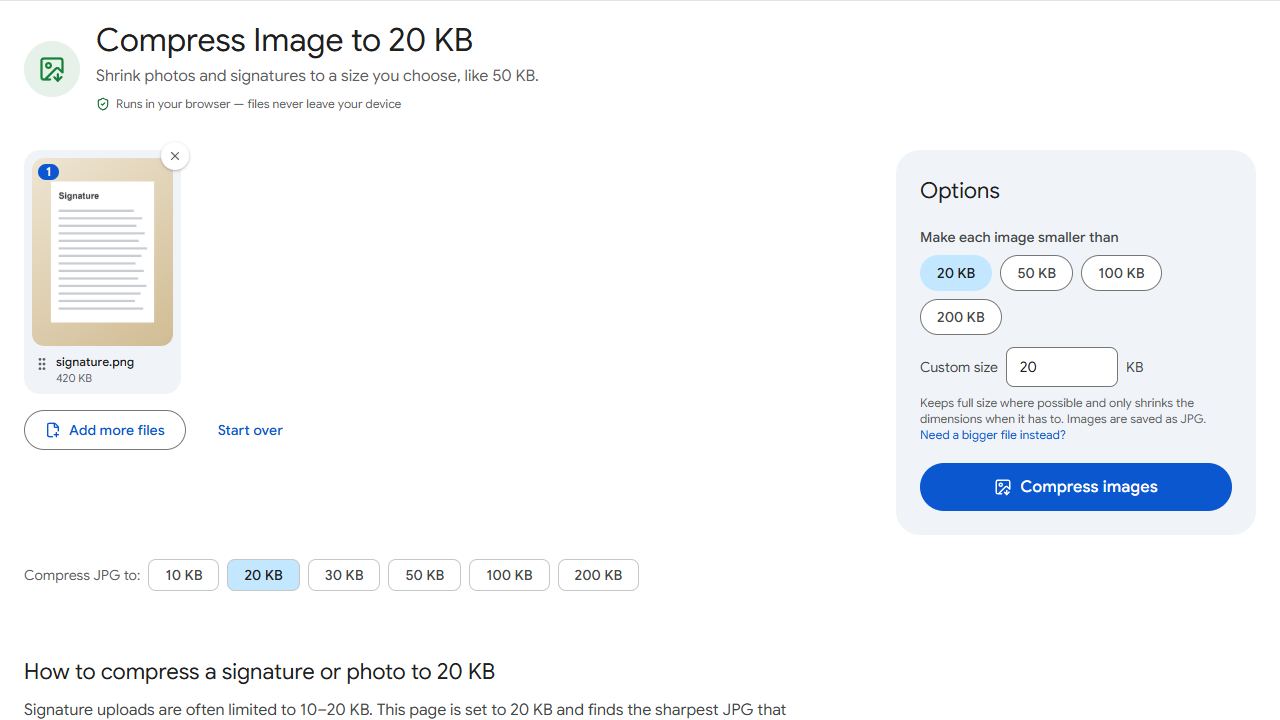
- Open Compress Image to 20 KB and add the cropped signature.
- Click Compress images. The tool lowers the JPEG quality first and only reduces the pixel size if quality alone can't reach the target, so a 3:1 crop of a few hundred pixels normally keeps its full dimensions.
- Check the result card: it shows the final size in KB and the width × height in pixels. Download the JPG and upload it in the OTR or application module.
PDFCraftly measures sizes with 1 KB = 1,000 bytes. Some servers count 1 KB as 1,024 bytes, which makes the same file look slightly smaller. That is harmless at the 20 KB ceiling, but it matters at the 10 KB floor: a file the tool reports as 10 KB could be read as 9.8 KB by the portal. Aim for about 14 to 18 KB so you're safely inside the range either way. To do that, open Compress JPG and type 16 into Target file size.
Everything happens in your browser. The signature is never uploaded to PDFCraftly, which is worth knowing for a file you'd rather not spread around.
If the signature is under 10 KB
A clean, tightly cropped signature on white paper is tiny: often 5 to 8 KB straight from the phone, which SSC's form rejects as too small. Don't fix that by adding blur or noise. Open Increase JPG Size, set the minimum to 12 KB, and download the padded copy. The picture itself is unchanged; only the file size grows, so the ink stays sharp.
The same tool rescues a scribe signature or any other upload where the form says 'file too small'. More on minimums in how to reduce photo size in KB.
Passing the live photo capture
Because the photo is captured by the module, there is no file to resize. What you can control is the setting. The CHSL 2026 notice lists the steps:
- Find a place with good light and a plain background.
- Put the camera at eye level, face it directly and look straight ahead.
- Keep your whole face inside the rectangle on screen, neither too close nor too far.
- No cap, mask or glasses/spectacles.
SSC's photo instructions add the usual rejection reasons: no plain background, caps, photos taken without a shirt, a photo that isn't bright enough, and blur. A plain wall by a window in the daytime solves most of these.
If the capture button won't work on a laptop, try the same page on your phone's browser or SSC's official mySSC app, which uses the phone camera. Grant camera permission when asked.
Scribe photos and later document uploads
Registering as a scribe does involve a photo upload. Crop a passport-style head and shoulders in roughly 3.5 × 4.5 cm proportions, then use Compress Image to 50 KB. If it lands under 20 KB, pad it with Increase JPG Size.
Some SSC stages ask for scanned certificates as PDF. The notice for that stage states the limit; where it isn't given, keep each PDF well under 1 MB. Scan with Scan to PDF using your phone camera, drop pages you don't need with Remove Pages, and shrink the file with Compress PDF using the limit from the notice as the Target file size.
Common problems and fixes
- The form says my signature file is too large.
- The limit is 20 KB. Crop away the paper around the signature first, then compress with Compress Image to 20 KB. Cropping matters more than quality: blank paper costs kilobytes without adding anything.
- The form says the signature is too small.
- SSC sets a 10 KB minimum. Open Increase JPG Size, set 12 KB and download. The image is padded, not altered.
- My signature was rejected as blurred or miniature.
- Sign again inside a 6 × 2 cm box so the ink fills at least 80% of it, as SSC's instructions ask. Photograph it in daylight without shadow, crop to the box, and compress again. Don't let the tool shrink the pixels: a tight 3:1 crop stays at full size.
- The live photo keeps failing.
- Use a plain background, daylight or a bright room, camera at eye level, and remove cap, mask and spectacles. Make sure your whole face sits inside the on-screen rectangle. Don't point the camera at a printed photo; SSC rejects that.
Frequently asked questions
For candidates there is no photo upload: SSC's 2026 notices say the application module captures a live photo. The 20 to 50 KB, 3.5 × 4.5 cm photo requirement applies to scribe registration.
A JPEG/JPG between 10 KB and 20 KB, about 6.0 cm wide and 2.0 cm high, horizontal, clear and not miniature. That's from the CGL and CHSL 2026 notices.
About 472 × 157 pixels at 200 DPI or 354 × 118 pixels at 150 DPI. SSC says 'about', so a crop in roughly 3:1 proportions is what counts.
No. Compression and padding run in your browser; the file never leaves your device.