Why Won't My PDF Open? Causes and Fixes
By Bishal Neupane · · 5 min read
A PDF that refuses to open gives you very little to go on: a blank screen, a spinning wheel, or a vague error. The good news is that the cause is nearly always one of six things, and the message on screen usually points to which. This guide walks through them in the order that saves the most time, on a phone or a computer.
Start with what you see on screen
Before you try anything, note exactly what happens when you tap or double-click the file. The symptom narrows the cause quickly.
- A password box appears: the file is password-protected. Go to the password section below.
- An error such as "cannot open", "damaged" or "not a valid PDF": the file is probably incomplete or corrupted, or it is not really a PDF.
- Nothing happens, or the app asks what to open it with: the device has no suitable PDF viewer, or the wrong app is set as the default.
- A blank or white page, or endless loading: the file may be very large, still downloading, or the viewer is struggling with it.
- The browser downloads it again instead of showing it, or blocks it: a browser or security setting is in the way.
The PDF asks for a password
Some PDFs are locked on purpose. Bank statements, payslips and government documents often arrive with a password, and the sender usually tells you what it is or how it is built, for example a date of birth or an account number. Type it exactly, because passwords are case-sensitive.
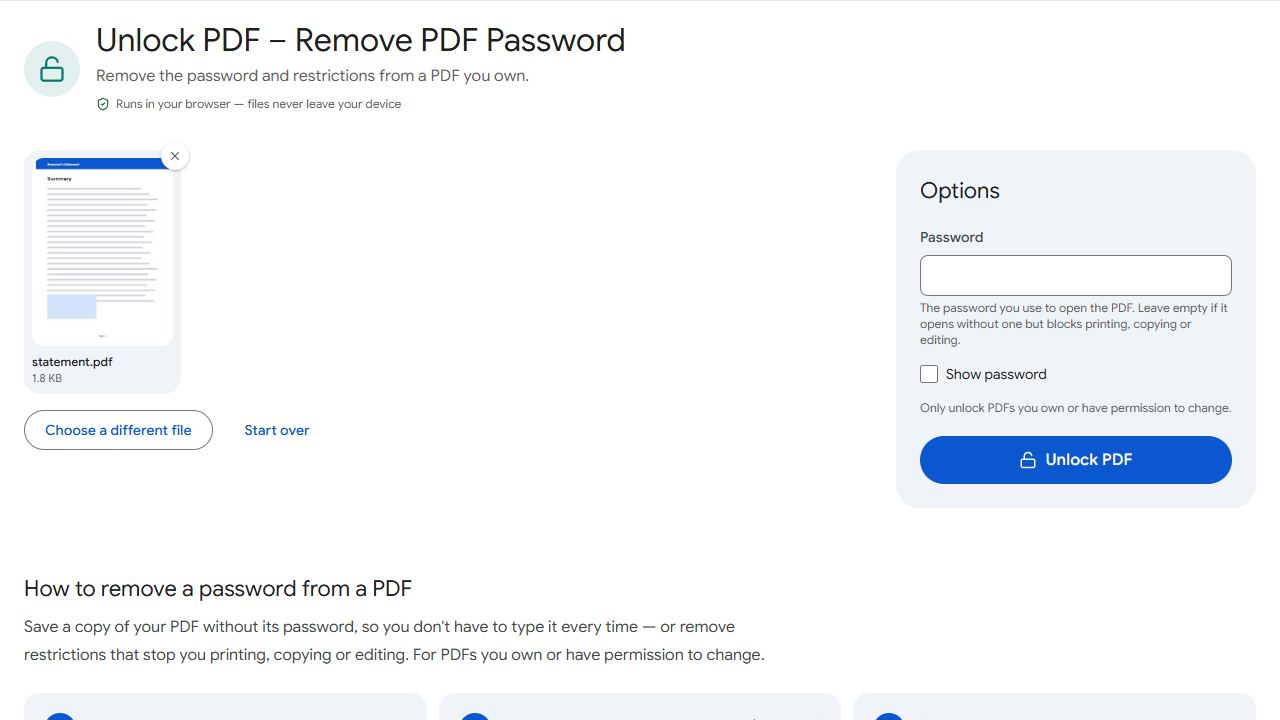
If you know the password and are tired of typing it, Unlock PDF saves a copy without it. The tool needs the password to do this. It cannot work out a password you don't have, so if you were never given one, ask the sender. Our guide on removing a password from a PDF covers the steps.
The file is damaged or only partly downloaded
A download that stopped halfway leaves a file that looks normal in your folder but cannot be read. This happens on slow or dropped connections, and when a phone goes to sleep during a download. A very small file size compared with what you expected is a strong hint.
- Delete the file you have.
- Download it again from the original link or ask the sender to send it again, ideally on a stable connection.
- Try opening the new copy in a different viewer, such as a web browser.
- If a second download behaves the same way, the original is probably damaged at the source. Ask the sender to export or save it again.
- If you cannot get another copy, try Repair PDF. It rebuilds a broken file structure when it can, and says so honestly when it cannot. More in how to repair a corrupted PDF.
If a file was emailed as a zip or renamed, check its extension. A file called report.pdf that is really something else will not open as a PDF, whatever it is called.
The wrong app or no PDF viewer
A PDF is opened by a viewer. Phones and computers normally have one built in, but a missing, disabled or outdated app can cause the file to fail. On a phone, try updating the app that is trying to open it, or choose a different app from the Open with or share options. On a computer, right-click the file and choose another program.
The quickest test on any device is to open the PDF in a web browser. Drag it into a browser window on a computer, or open it from the browser's downloads list on a phone. If it opens there, the file is fine and the problem is the app.
The file is too large or too heavy
Scans and photo-heavy PDFs can run to many megabytes, and a phone with little free memory may stall or show a blank page. Waiting, closing other apps and restarting the viewer helps sometimes, but making the file smaller is the lasting fix.
Compress PDF reduces the size while keeping the pages readable, and our guide to compressing a PDF explains the options. If the problem was a failed email or message, see how to send a large PDF by email. A file made of many separate documents can also be easier to handle as one: Merge PDF joins them in the order you choose.
Blocked or changed by the browser
Browsers sometimes refuse to show a PDF inline, or a security setting, extension or ad blocker interrupts the download. If a PDF opens as a download but not in the page, open it from your downloads list instead. If a link does nothing, try a different browser or a private window, and check that your connection did not drop. If you are on a phone, our guide to where downloaded PDFs are saved on iPhone and Android helps you find the file and open it directly.
For PDFs received through a chat app, see why a PDF won't open in WhatsApp.
Common problems and fixes
- It asks for a password I don't have.
- Ask the sender or the organisation that issued the document. No tool here can open a password-protected PDF without the password. Unlock PDF only removes a password you can supply.
- It says the file is damaged or not valid.
- Delete it and download it again, or ask the sender to send a fresh copy. If it fails in a browser too, the original file is probably damaged at the source. If no other copy exists, Repair PDF may be able to rebuild it.
- It stays blank or loads forever.
- Close other apps, try a web browser, and wait for the download to finish. If the file is very large, compress it with Compress PDF and open the smaller copy.
- The phone asks which app to use and nothing works.
- Install or update a PDF viewer, or open the file from your browser's downloads list. Opening it in a browser tells you whether the file or the app is the problem.
Frequently asked questions
Usually the phone viewer is outdated, memory is low, or the download was incomplete. Try a browser, update your apps and download the file again.
Some PDFs have restrictions on printing, copying or editing but open normally. Those restrictions don't stop you opening the file.
No. Unlock PDF removes a password only when you enter the correct one. It does not guess or bypass passwords.
No. Compress PDF helps with large files that are slow to open. A file that is truly damaged or incomplete needs to be downloaded or exported again.